
Clamshell for Mac. Close the lid. Keep your agents running
$9.99 once
or $19.99 for 3 Macs
Downloaded 3,300+ times
Free for 7 days. Apple Silicon, macOS 14 or later.
Hold Option.
Then close the lid.
A dark room at night. Through a big window: the moon, thin cloud, a city skyline with a few lit windows, rooftops and a tree. On the desk a MacBook runs a coding agent. Every few seconds its lid closes on its own: status tags above the closed laptop show Claude Code and Codex still running, the clam in the menu bar turns blue, and then the lid opens again.
Keep your MacBook awake with the lid closed.
Stays awake on AC or battery.
The screen goes fully dark.
Wakes the instant you open it.
A long, low building in the night city with three big windows: a closed MacBook whose charger comes out while its agent keeps running, a lid shutting into full darkness, and a lid lifting onto finished work.
30+ modules.
-
Agent Status
See what your agents are doing from the menu bar.
A Mac menu bar at night with the Clamshell clam lit blue and its menu open. Claude Code is running, Codex is waiting for you, another Claude Code session is done, and the states change as the agents work.
-
Agent Notifications
Know when an agent needs you or is done.
The top right corner of a Mac desktop at night, under the menu bar clock. A Mac notification says Claude Code needs you; it goes away while Claude Code runs, a second one slides in when it is done, and the first slides back in when it needs you again.
-
Finish Work, Then Sleep
Let your agents finish, then let your Mac sleep.
A MacBook closes on two agents at work. Codex finishes, then Claude Code, and then the Mac goes to sleep.
-
Sleep Until Reset
Sleep through a usage limit and wake when it resets.
A closed MacBook on its charger. Codex hits its usage limit, the Mac sleeps while the wall clock runs on to the reset, then wakes and Codex picks up again.
-
Agent Screen
Agents can use the screen with the lid closed.
A closed MacBook and, above it, the screen its agent is using: Codex types into a field, clicks a button, and picks a result on the next page.
-
Battery Budget
A closed session uses up to 15 percent of battery, then sleeps.
A closed MacBook on battery while Codex runs. The battery drains from 100 to 85 percent, the share set aside for the session, and then the Mac sleeps.
-
Home Server
Always armed, lid closed, for a Mac that serves.
A closed MacBook on a desk at night, cabled to a router beside it. A plate reads Home Server armed. Another computer connects with Remote Login and the router blinks with traffic while the session time runs on. The Mac restarts after a power dip, comes back on its own and is armed again.
-
Keep Awake
Your Mac stays awake with the lid open.
An open MacBook on a desk at night. The Clamshell clam in its menu bar is lit and a plate on the screen reads Awake until 4:14. The menu bar clock runs from 2:14 to 4:14 while the screen stays on, then the clam goes plain and the Mac sleeps. Woken again, the Clamshell menu opens on 1 Hour, 2 Hours and 4 Hours, 2 Hours is picked, and the clam lights up again.
- Agent Status. See what your agents are doing from the menu bar.
- Agent Notifications. Know when an agent needs you or is done.
- Finish Work, Then Sleep. Your agents finish, then your Mac sleeps.
- Agent Screen. Agents can use the screen with the lid closed.
- Sleep Until Reset. Hit a usage limit? Pick up again when it resets.
- Caps Lock. The Caps Lock light shows your Mac is staying awake.
- Lid-Close Sound. A soft sound confirms your Mac is staying awake.
- Quiet Close. Closing the lid mutes your Mac.
- Cleaning Lock. Lock the keyboard for a minute while you wipe it.
- Always On While Plugged In. Stays armed whenever your Mac is plugged in.
- Home Server. Always armed, lid closed, for a Mac that serves.
- Low Power While Closed. Run longer on battery with the lid closed.
- Battery Budget. Uses up to a set share of battery, then sleeps.
- Sleep Means Sleep. No surprise wakes while asleep on battery.
- Stay Off When Opened. A shut-down Mac stays off when you open the lid.
- Fan Boost. Fans spin up when a closed Mac works hard.
- Bluetooth Off While Closed. Bluetooth turns off while your closed Mac sleeps.
- Sleep When Idle. A closed Mac sleeps once nothing is working.
- Keep Awake. Your Mac stays awake with the lid open.
- Finish Jobs, Then Sleep. Downloads and backups finish, then your Mac sleeps.
- Sleep Timer. Sleep in 30 minutes, fading the music out.
- Bag Check. Warns you if your Mac didn't sleep in your bag.
- Password After Close. Close the lid and the next unlock needs your password.
- Agent Light. Your agents' state on a light across the room.
- Eject on Sleep. Drives eject when your closed Mac sleeps.
- Awake While Connected. Stays awake while you're connected to it.
- Lid Shortcuts. Run your own Shortcut when you close or open the lid.
- Arm While an App Runs. Stays awake while the app you choose runs.
- Arm on a Wi-Fi Network. Arms itself when plugged in on your Wi-Fi.
- Arm on a Schedule. Arms itself during the hours you choose.
- Arm When a Drive Connects. Stays awake while your backup drive is connected.
Describe a module. Your agent builds it.


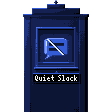

A tower of the night city, close up. One window is dark. A line types into it: mute slack while my agent runs. A tag under the window shows the agent building, Claude Code, Codex or Grok Build in turn. The new module assembles in the glass, the window lights up with it, and the plate under it reads Quiet Slack.
Free for 7 days.
One-time. Every module included. v1 owners upgrade free.
Downloaded 3,300+ times

Dawn over the mountains: a sea of mist, a stone viaduct, and a train that now and then pulls in, waits a while and leaves again.
Frequently asked questions.
Which Macs and macOS versions?
Will my agents and terminal sessions keep running?
Are modules included?
Can I make my own module?
Do I need an external display?
Is this the same as clamshell mode?
Why doesn't caffeinate or my keep-awake app work with the lid closed?
Will it drain the battery or overheat?
Does it need admin access?
What if I quit Clamshell or it crashes?
Is Clamshell on the Mac App Store?
Is the Setapp version the same?
Can I get a refund?
For AI agents.
- Install
brew install --cask clamshell- Before a long run
open "clamshell://arm"- When it is done
open "clamshell://disarm"- Price
- Free for 7 days, then $9.99 once for one Mac.
- Full reference
- llms.txt, and every page as Markdown.